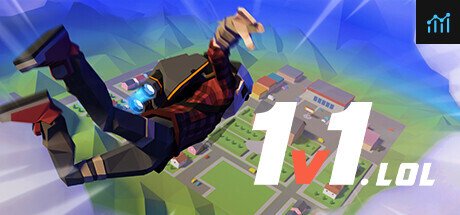
1v1.LOL requirements
Full 1v1.LOL requirements for PC, including minimum and recommended specs to play the game when it's not blocked!
| Minimum | Recommended | |
| CPU | Intel Core 2 Duo E8400 | Unknown |
| Graphics Card | AMD Radeon HD 7750 | Unknown |
| RAM | 4 GB | Unknown |
| File Size | 512 MB | Unknown |
| OS | Windows 10 | Unknown |
Can you run it? Test your computer against 1v1.LOL system requirements.
Can I Run 1v1.LOL?
To play 1v1.lol, you will need a PC with at least an AMD Radeon HD 7750 GPU, an Intel Core 2 Duo E8400 CPU, 4GB of RAM, and 0.5GB of HD space if you install the game locally.
1v1.lol is a Fortnite-like battle royale with much lower hardware requirements than Epic's flagship PvP arena. You can always dive into the 1v1.lol experience via a web browser, but you will encounter some limitations in speed and graphics compared to installing the game locally. If you can install the game locally (difficult if you're trying to play it in school!), you'll need to meet the 1v1.lol PC requirements which, fortunately, are incredibly low. Best of all, the game is free!
So, to meet the 1v1.lol minimum requirements, you will need an NVIDIA GeForce GTX 260 graphics card, an AMD Phenom II X4 965 processor, and 4GB of RAM. As far as system requirements go, any mid-level laptop or desktop PC in the last ten years should have no issues running 1v1.lol.
1v1.lol size
The 1v1.lol download size comes in at 512MB of HDD or SSD space. If you play the game via the browser, you won't need to download anything, but your browser will need to cache a large quantity of data temporarily.
While the game runs perfectly fine on a HDD, we generally recommend that you install 1v1.lol (or any game for that matter) on an SSD to ensure you get the best performance and the shortest loading times. So, if you need more space or want to make an upgrade, check the PCGamesN buyers guide for the best SSD for gaming or just check the latest, best prices for SSDs.
1v1.lol unblocked
If you're looking to find a version of 1v1.lol unblocked, there's a very good chance that your school or organisation has implemented a firewall block against the main website. In cases like these, there are a variety of websites that claim to host 1v1.lol, but your best bet is to install the game locally on a personal device rather than attempt to access the game from a managed device.
1v1.LOL will run on PC system with Windows 10 and upwards.
Looking for an upgrade? See our graphics card comparison and CPU compare for benchmarks. We'll help you find the best deal for the right gear to run the game.
1v1.LOL FPS - what frame rate can you expect?
How many FPS will I get on 1v1.LOL? An FPS Monitor is the first step in understanding how the parts in your gaming PC are actually performing in real-world conditions. It's the perfect way to track 1v1.LOL FPS drops and stutters.
Download our free tool on Overwolf to count your frame rates as you play, and test how tweaks to your settings can boost FPS and increase 1v1.LOL performance. Our app is compatible with hundreds of the best PC games and available now.