

ARK: Survival Evolved System Requirements
ARK: Survival Evolved system requirements 2025 - can your PC run ARK: Survival Evolved?
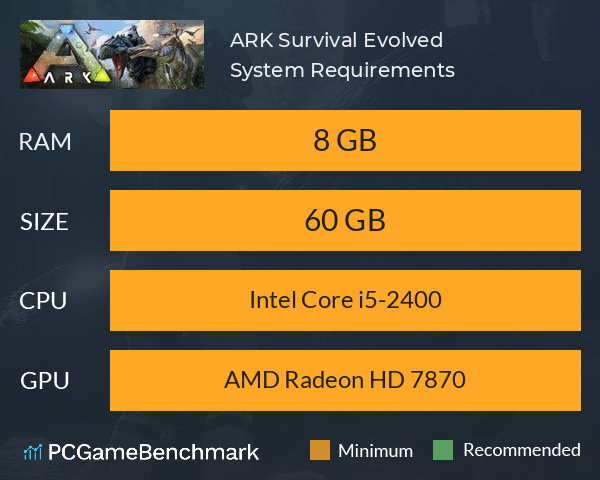
| Minimum | Recommended | |
| CPU | Intel Core i5-2400 | Intel Core i5-2400 |
| Graphics Card | AMD Radeon HD 7870 | AMD Radeon HD 7870 |
| RAM | 8 GB | 8 GB |
| File Size | 60 GB | 60 GB |
| OS | Windows 7 64-Bit | Windows 10 64-Bit |
Can you run it? Test your computer against ARK: Survival Evolved system requirements.

Can I Run ARK: Survival Evolved?
To run the ARK Survival Evolved system requirements, you will need an NVIDIA GeForce GTX 670 GPu, an Intel Core i5-2400 CPU, 8GB of RAM, and 60GB of space.
The ARK Survival Evolved minimum requirements require a minimum of 8 GB of RAM, a CPU equivalent to an Intel Core i5-2400, and at least an AMD Radeon HD 7870 graphics card. The developers do not give a recommended hardware setup but just a minimum - if you are going to be running the game in 4K resolution, we'd recommend a graphics card much better than the minimum graphics card that the developers recommend. ARK has an 'Epic' graphics settings mode which is extremely demanding even for the highest-end PCs.
For the latest game, check our Ark Survival Ascended system requirements guide.
ARK Survival Evolved Performance Guide
ARK Survival Evolved FPS and stuttering issues may be fixed by first making sure you meet the minimum system requirements and ensure you have the latest AMD Drivers or NVIDIA Drivers for your graphics card. Disable intensive background applications such as Windows Game DVR and GeForce Experience, and try turning down Anti-Aliasing and View Distance for a start to see the largest FPS increase.
ARK: Survival Evolved will run on PC system with Windows 7 64-Bit and upwards. Additionally it has a Mac version.
Looking for an upgrade? See our graphics card comparison and CPU compare for benchmarks. We'll help you find the best deal for the right gear to run the game.
ARK: Survival Evolved FPS - what frame rate can you expect?
How many FPS will I get on ARK: Survival Evolved? An FPS Monitor is the first step in understanding how the parts in your gaming PC are actually performing in real-world conditions. It's the perfect way to track ARK: Survival Evolved FPS drops and stutters.
Download our free tool on Overwolf to count your frame rates as you play, and test how tweaks to your settings can boost FPS and increase ARK: Survival Evolved performance. Our app is compatible with hundreds of the best PC games and available now.
ARK: Survival Evolved Mac OS system requirements (minimum)
- Memory:8 GB
- Graphics Card:AMD Radeon HD 7870
- CPU:Intel Core i5-2400
- File Size:60 GB
- OS:OSX 10.9 or Higher
ARK: Survival Evolved Linux system requirements (minimum)
- Memory:8 GB
- Graphics Card:AMD Radeon HD 7870
- CPU:Intel Core i5-2400
- File Size:60 GB
- OS:Ubuntu Equivalent Distro
ARK: Survival Evolved Details
| Player Count | 10,823 Players (Last 24 Hours) |
| Review Score | 70 / 100 |
| Download | Buy Ark: Survival Evolved now |
| Categories | Action RPG Indie |
| ARK: Survival Evolved Release Date | 27th of August 2017 |
| ARK: Survival Evolved PC price today | $14.99 |
Stranded on the shores of a mysterious island, you must learn to survive. Use your cunning to kill or tame the primeval creatures roaming the land, and encounter other players to survive, dominate... and escape!