

Call of Duty Ghosts System Requirements
Call of Duty Ghosts System Requirements - full specs, system checker and the gaming PC setup you need.
| Minimum | Recommended | |
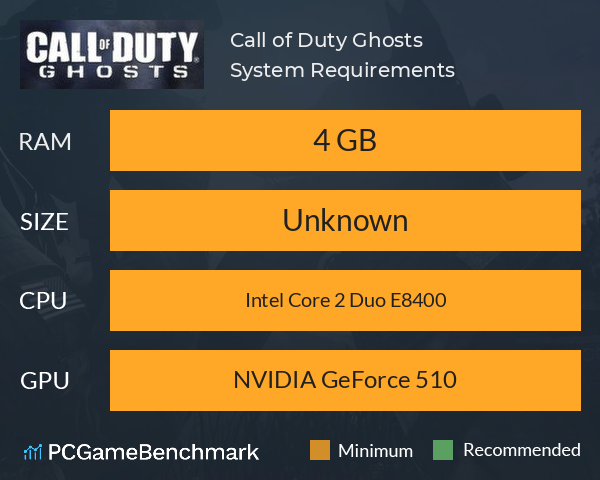
| CPU | Intel Core 2 Duo E8400 | Intel Core 2 Duo E8400 |
| Graphics Card | NVIDIA GeForce 510 | NVIDIA GeForce 510 |
| RAM | 4 GB | 4 GB |
| File Size | Unknown | Unknown |
| OS | Unknown | Unknown |
Can you run it? Test your computer against Call of Duty Ghosts system requirements.
Can I Run Call of Duty Ghosts?
The Call of Duty Ghosts system requirements state that the minimum graphics card required is an NVIDIA GeForce 510. You'll also need at least 4 GB of RAM, and a minimum CPU equivalent to an Intel Core 2 Duo E8400.
Can your PC handle the latest Black Ops? Check the Call of Duty Black Ops Cold War system requirements.
Call of Duty Ghosts Performance Guide
Having FPS or other performance issues in CoD Ghosts? Here are some things that may improve your performance.
Disable background applications such as GeForce Experience or Windows Game DVR
Run the game in fullscreen as opposed to windowed.
Disable hardware acceleration in applications such as Discord to free up GPU bandwidth for running Call of Duty Ghosts.
Looking for the new games? Check the PC specs with our guides to the 2022 Call of Duty Modern Warfare 2 system requirements and the Call of Duty: Warzone 2 system requirements.
Latest COD game
For your next COD game? Check our Call of Duty Modern Warfare 3 system requirements page. For the next game in the Black Ops series, check out the Black Ops 6 system requirements guide
Call of Duty Ghosts will run on PC system with and upwards.
Looking for an upgrade? See our graphics card comparison and CPU compare for benchmarks. We'll help you find the best deal for the right gear to run the game.
Call of Duty Ghosts FPS - what frame rate can you expect?
How many FPS will I get on Call of Duty Ghosts? An FPS Monitor is the first step in understanding how the parts in your gaming PC are actually performing in real-world conditions. It's the perfect way to track Call of Duty Ghosts FPS drops and stutters.
Download our free tool on Overwolf to count your frame rates as you play, and test how tweaks to your settings can boost FPS and increase Call of Duty Ghosts performance. Our app is compatible with hundreds of the best PC games and available now.
Call of Duty Ghosts Details
| Player Count | 47 Players (Last 24 Hours) |
| Review Score | 68 / 100 |
| Download | Call of Duty Ghosts Download |
| Categories | Action FPS |
| Call of Duty Ghosts Release Date | 25th of March 2014 |
| Call of Duty Ghosts PC price today | $59.99 |
Outnumbered and outgunned, but not outmatched.Call of Duty®: Ghosts is an extraordinary step forward for one of the largest entertainment franchises of all-time. This new chapter in the Call of Duty® franchise features a new dynamic where players are on the side of a crippled nation fighting not for freedom, or liberty, but simply to...