

ENDLESS Legend 2 System Requirements
ENDLESS Legend 2 system requirements 2025 - can your PC run ENDLESS Legend 2?
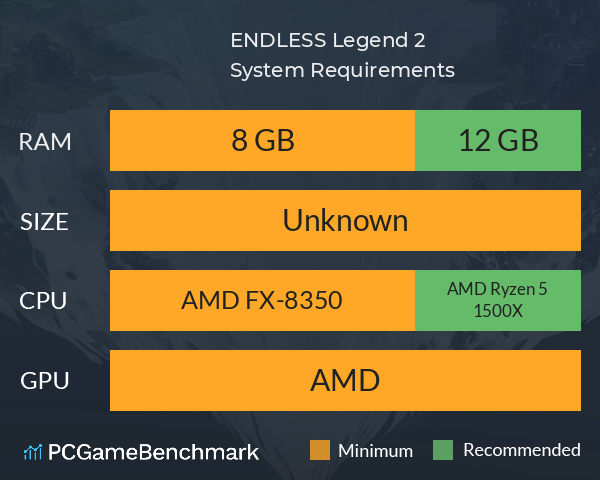
| Minimum | Recommended | |
| CPU | Intel Core i5-4430 | Intel Core i7-6700 |
| Graphics Card | NVIDIA GeForce GTX 960 | NVIDIA GeForce GTX 1070 |
| RAM | 8 GB | 12 GB |
| File Size | 25 GB | 25 GB |
| OS | Windows® 10 (64-bit) | Windows® 10 (64-bit) |
Can you run it? Test your computer against ENDLESS Legend 2 system requirements.
Can I Run ENDLESS Legend 2?
To run the Endless Legend 2 system requirements, you will need an NVIDIA GeForce GTX 960 GPU, an Intel Core i5-4430 CPU, 8GB of RAM, and 25GB of HD space.
By pairing an Intel Core i5-4430 and an NVIDIA GeForce GTX 960 with 8GB of RAM, you’ll be able to meet the Endless Legend 2 minimum requirements. You might see occasional performance dips, but you should have no issues running Endless Legend 2.
Most people, though, will be looking for the Endless Legend 2 recommended specs, and these are a little more demanding. The developer Amplitude Studios recommends an Intel Core i7-6700 CPU, 12GB of RAM, and an NVIDIA GeForce GTX 1070 GPU to reduce the likelihood of stuttering and other performance issues when playing Endless Legend 2.
Still not sure if your setup can handle the Endless Legend 2 PC requirements? Take our PC benchmark test now with our automatic checker or by manually entering your system details to see if your PC can run Endless Legend 2.
Endless Legend 2 size - How big is Endless Legend 2?
Endless Legend 2 size for download on PC requires 25GB of HD space.
We recommend installing the game on an SSD to ensure the best gameplay performance. So, if you need more space or want to make an upgrade, check the PCGamesN buyers guide for the best SSD for gaming or just check the latest, best prices for SSDs.
ENDLESS Legend 2 will run on PC system with Windows® 10 (64-bit) and upwards.
Looking for an upgrade? See our graphics card comparison and CPU compare for benchmarks. We'll help you find the best deal for the right gear to run the game.
ENDLESS Legend 2 FPS - what frame rate can you expect?
How many FPS will I get on ENDLESS Legend 2? An FPS monitor is the first step in understanding whether your gaming PC will be up to the challenge of running the most hotly anticipated games.
Download our free tool on Overwolf to start tracking your gaming PC’s performance ahead of the launch of ENDLESS Legend 2. Thanks to its live frame rate monitoring and detailed post-game insights, our FPS Monitor app is the perfect way to benchmark your PC while you get ready for the ENDLESS Legend 2 release date.
Once ENDLESS Legend 2 is out, check back here to see how ENDLESS Legend 2 performs on a variety of real-world PC gaming setups.
ENDLESS Legend 2 Details

| Download | Via Steam |
| Categories | Strategy RPG Simulation |
| ENDLESS Legend 2 Release Date | Estimated 22nd of Sep 2025 |
Lead your people to victory on an ever-evolving world in this strategy game featuring asymmetric factions led by powerful heroes. Build your empire, wield political influence, and raise grand armies to wage war in a race to uncover dark secrets buried within the planet.